
“Passkey” is a useful user-facing term, but an administrator may need to decide what kind of authenticator is allowed, whether it can be tied to a device and what evidence the relying system can validate. Those choices should follow the threat model, not an assumption that every modern credential is identical.
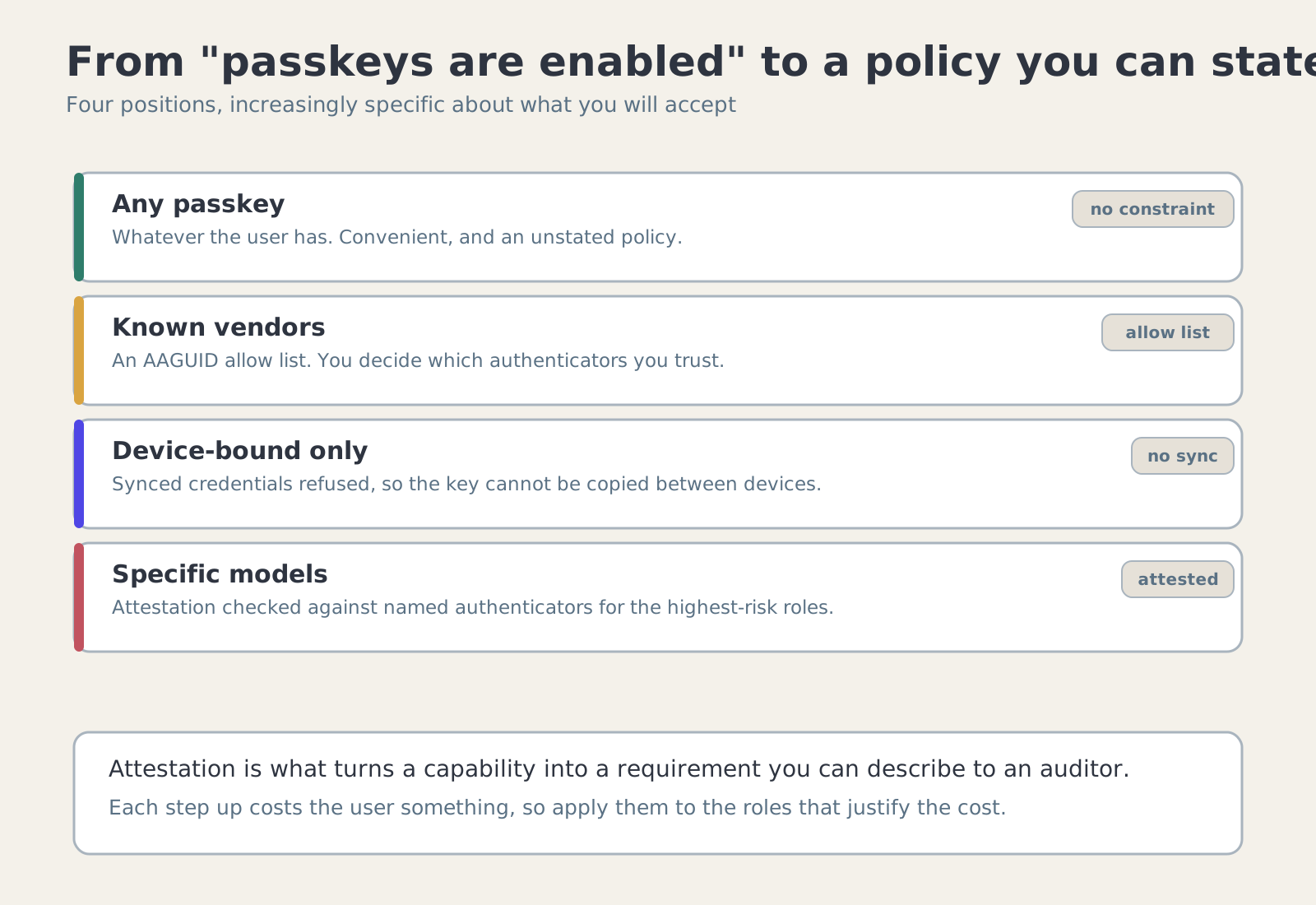
Separate credential properties from user experience
A passkey experience can be backed by different authenticator configurations. Some credentials are synced across devices, while security keys are often treated as separately carried authenticators. Implications for phishing resistance, device binding and recovery can differ, so policy should make the supported category clear.
WebFrolic’s product notes describe separate categorisation for passkeys and security keys, custom attestation roots, attestation and user-verification validation, and allow/deny lists based on AAGUIDs. These controls are useful only when administrators understand what each policy says about the authenticator.
Know what attestation does—and does not—prove
Attestation can provide evidence about an authenticator’s model or provenance, depending on format and trust chain. It is not a universal statement that an endpoint is uncompromised, a user is trustworthy or a credential can never be stolen. Keep the verification claim narrow and tied to the evidence the system checks.
If an organisation supplies custom root certificates, it takes responsibility for that trust configuration. Document who approves a root, how it is distributed and rotated, and how failed validation affects enrolment. An outdated trust list can be as problematic as one that accepts too much.
Choose a policy users can complete
Hardware-bound or attested authenticators may be appropriate for privileged employees, while customers may need a broader enrolment choice. Before enforcing a restrictive rule, test onboarding, device replacement, lost-key recovery and cross-device experiences for each intended user group.
A security requirement that legitimate users cannot satisfy creates pressure for workarounds. Define an approved replacement path, document exceptions and ensure they do not become a permanent downgrade of the target policy.
Keep the decision auditable
Record the selected authenticator class and relevant validation outcomes without logging secrets. When enrolment is denied, the audit detail should help an administrator understand whether the cause was the trust root, authenticator policy, user verification or assignment rule.
Review enrolment policy when new authenticator classes appear or an allow/deny list changes. Treat the change as security-sensitive configuration and test the effect on existing users as well as new registration.
Where this leaves you
State the required authenticator properties for each identity class. Then: state the required authenticator properties for each identity class; maintain a review process for attestation roots and AAGUID policy; test device replacement and recovery before enforcing restrictive rules.